
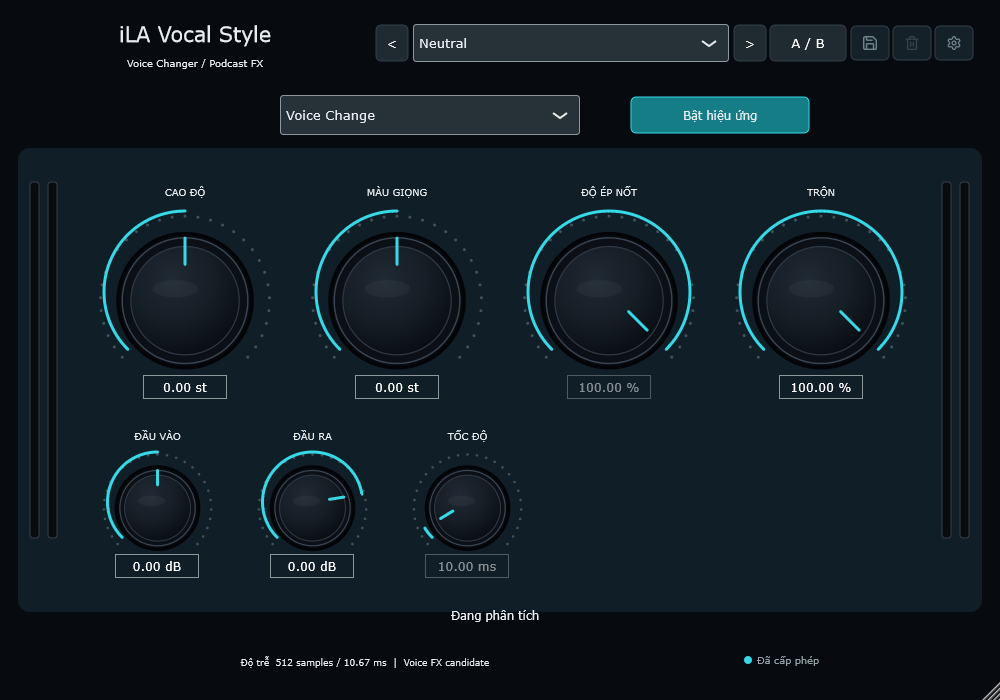
Voice Change gives you separate controls for pitch and vocal colour.
 iLA Native FX · Windows · VST3
iLA Vocal Style
Give your character a voice of its own.
A deeper character voice, a playful small voice or a robotic line for a scene: iLA Vocal Style is built for ideas like these. Choose a voice effect and blend it with the original to find the right fit for your content.
Made for Streaming, podcasts, character voices and spoken effects.
Make it sound like you
What you can do
Robot / Flatten reduces pitch movement; Tuned Speech pulls speech towards notes.
Start with a preset such as Deep Voice, Tiny Voice or Robot, then make it your own.
Start simple
Make a small change. Listen. Find your balance.
Open the plugin in idolLiveAudio or a compatible VST3 host. Use your own voice and the music you plan to play to hear the difference.
- Choose Voice Change, Robot / Flatten or Tuned Speech.
- Speak a familiar sentence and adjust pitch, colour or effect strength.
- Use Mix to blend the original and altered voice while keeping the words understandable.
Find the main controls
Control labels may appear in English or Vietnamese, depending on the plugin language you choose.
Voice Mode Pitch Shift Formant Shift Strength Speed Mix
iLA Nexus
Get ready for your next session.
Sign in to iLA Nexus to check your licenses, install plugins and keep them up to date in one place.