
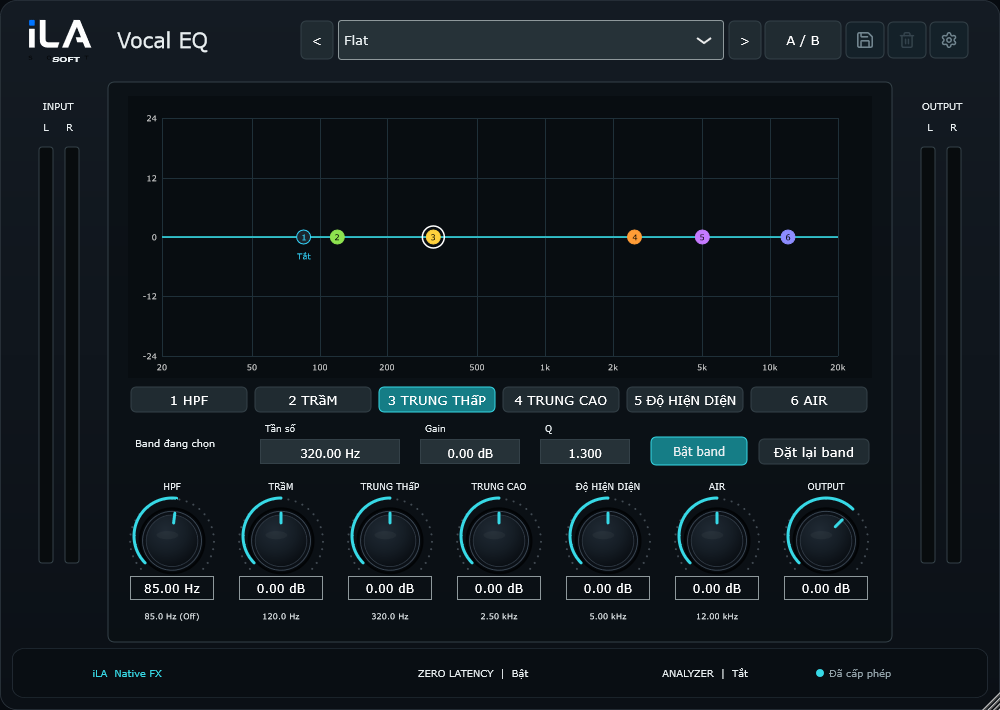
Drag the graph to choose the part of the sound you want to change.
 iLA Native FX · Windows · VST3
iLA Vocal EQ
Find the tone that feels like you.
Take out some boom, add warmth or make the words easier to hear. With iLA Vocal EQ, you can move points directly on the curve and hear the result as you shape the voice.
Made for Singing and speech that need more warmth, clarity or brightness.
Make it sound like you
What you can do
Bring out vocal warmth, clearer words or a little extra brightness.
Switch individual bands on and off, then use A/B to compare your choices.
Start simple
Make a small change. Listen. Find your balance.
Open the plugin in idolLiveAudio or a compatible VST3 host. Use your own voice and the music you plan to play to hear the difference.
- Listen to the original voice and decide what feels excessive or missing.
- Make small moves, then listen again with the backing track.
- Compare at a similar volume before saving your preset.
Find the main controls
Control labels may appear in English or Vietnamese, depending on the plugin language you choose.
HPF Low Low Mid High Mid Presence Air Output
iLA Nexus
Get ready for your next session.
Sign in to iLA Nexus to check your licenses, install plugins and keep them up to date in one place.