
Choose the key and major/minor scale yourself or receive a suggestion from iLA AutoKey.
 iLA Native FX · Windows · VST3
iLA Pitch
Tune the notes. Keep your choice of expression.
Use a light touch for steadier notes, or make the tuning part of the sound. iLA Pitch lets you choose the song's key, the amount of correction and how the voice moves between notes, from subtle help to an obvious effect.
Made for Single-voice singing for karaoke, livestreams and vocal recordings.
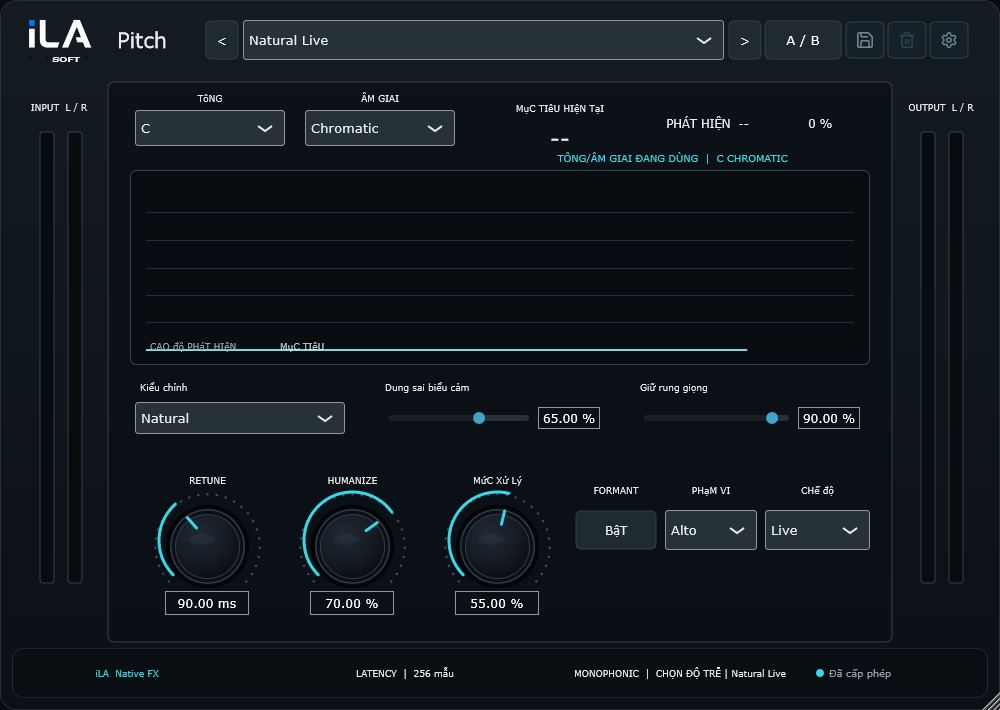
Make it sound like you
What you can do
Move from gentle correction to Hard Tune with direct controls.
Adjust vibrato preservation and flexibility to suit your phrasing.
Start simple
Make a small change. Listen. Find your balance.
Open the plugin in idolLiveAudio or a compatible VST3 host. Use your own voice and the music you plan to play to hear the difference.
- Set the correct key and scale for the song.
- Start in Natural with a light amount of correction.
- Increase the speed and amount when you want the tuning effect to stand out.
Find the main controls
Control labels may appear in English or Vietnamese, depending on the plugin language you choose.
Key Scale Natural / Hard Tune Retune Amount Flex Vibrato
iLA Nexus
Get ready for your next session.
Sign in to iLA Nexus to check your licenses, install plugins and keep them up to date in one place.