
Choose an output ceiling for loud peaks.
 iLA Native FX · Windows · VST3
iLA Limiter
Keep sudden peaks in check.
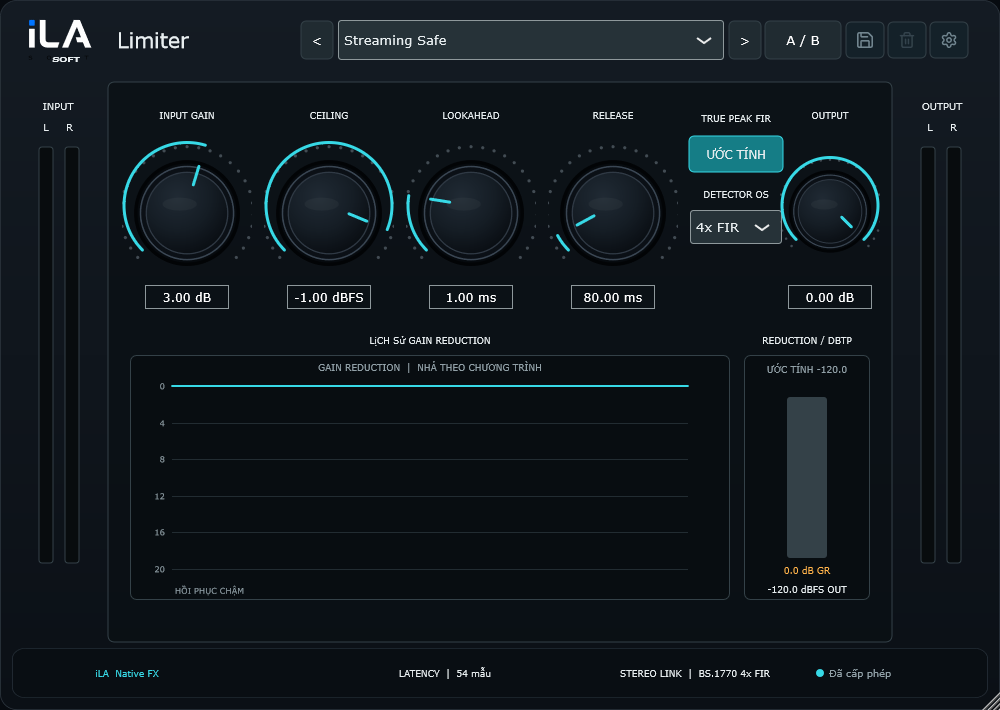
A powerful note or an unexpected sound effect can push the mix too high. Put iLA Limiter at the end of the signal path to keep peaks around a ceiling you choose and see how much the level is being reduced.
Made for The main output of a livestream or mix.
Make it sound like you
What you can do
Watch the reduction to spot when the mix is being pushed too hard.
Use the True Peak and oversampling options when you need finer peak control.
Start simple
Make a small change. Listen. Find your balance.
Open the plugin in idolLiveAudio or a compatible VST3 host. Use your own voice and the music you plan to play to hear the difference.
- Place the Limiter last on the main output.
- Choose a ceiling and play the loudest part of the session.
- If reduction is constant, lower the level feeding the Limiter.
Find the main controls
Control labels may appear in English or Vietnamese, depending on the plugin language you choose.
Input Gain Ceiling Release True Peak Oversampling
iLA Nexus
Get ready for your next session.
Sign in to iLA Nexus to check your licenses, install plugins and keep them up to date in one place.