
Keep left and right working together so the stereo placement stays steady.
 iLA Native FX · Windows · VST3
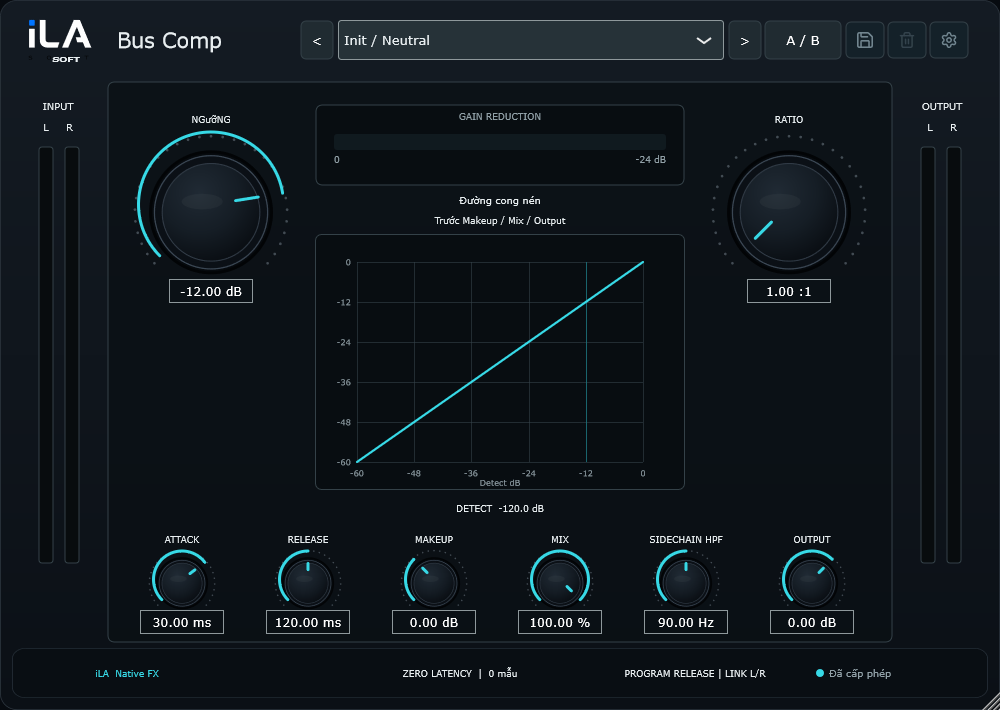
iLA Bus Comp
Bring the mix together.
Sometimes the voice and music are balanced, but they still feel separate. A little shared level control can help the pieces move together. iLA Bus Comp adds that finishing touch to a backing track, a group of instruments or the full mix.
Made for Stereo music, instrument groups and the main output.
Make it sound like you
What you can do
Reduce how much the bass drives the volume reduction.
Blend original and processed sound to find the right amount of togetherness.
Start simple
Make a small change. Listen. Find your balance.
Open the plugin in idolLiveAudio or a compatible VST3 host. Use your own voice and the music you plan to play to hear the difference.
- Start with a small amount of reduction on the loudest section.
- Adjust the response so the drums still have impact.
- Match the listening level and use Mix to keep the music open.
Find the main controls
Control labels may appear in English or Vietnamese, depending on the plugin language you choose.
Threshold Ratio Attack Release Sidechain HPF Mix
iLA Nexus
Get ready for your next session.
Sign in to iLA Nexus to check your licenses, install plugins and keep them up to date in one place.