Shape the voice
Arrange compatible VST3 effects into vocal chains and save the settings in presets.
 Supports compatible third-party VST3 effects.
 idolLiveAudio · Windows
Control the sound of your live session, from microphone and backing track to effects, recording and the mix your audience hears.
Made for the live session
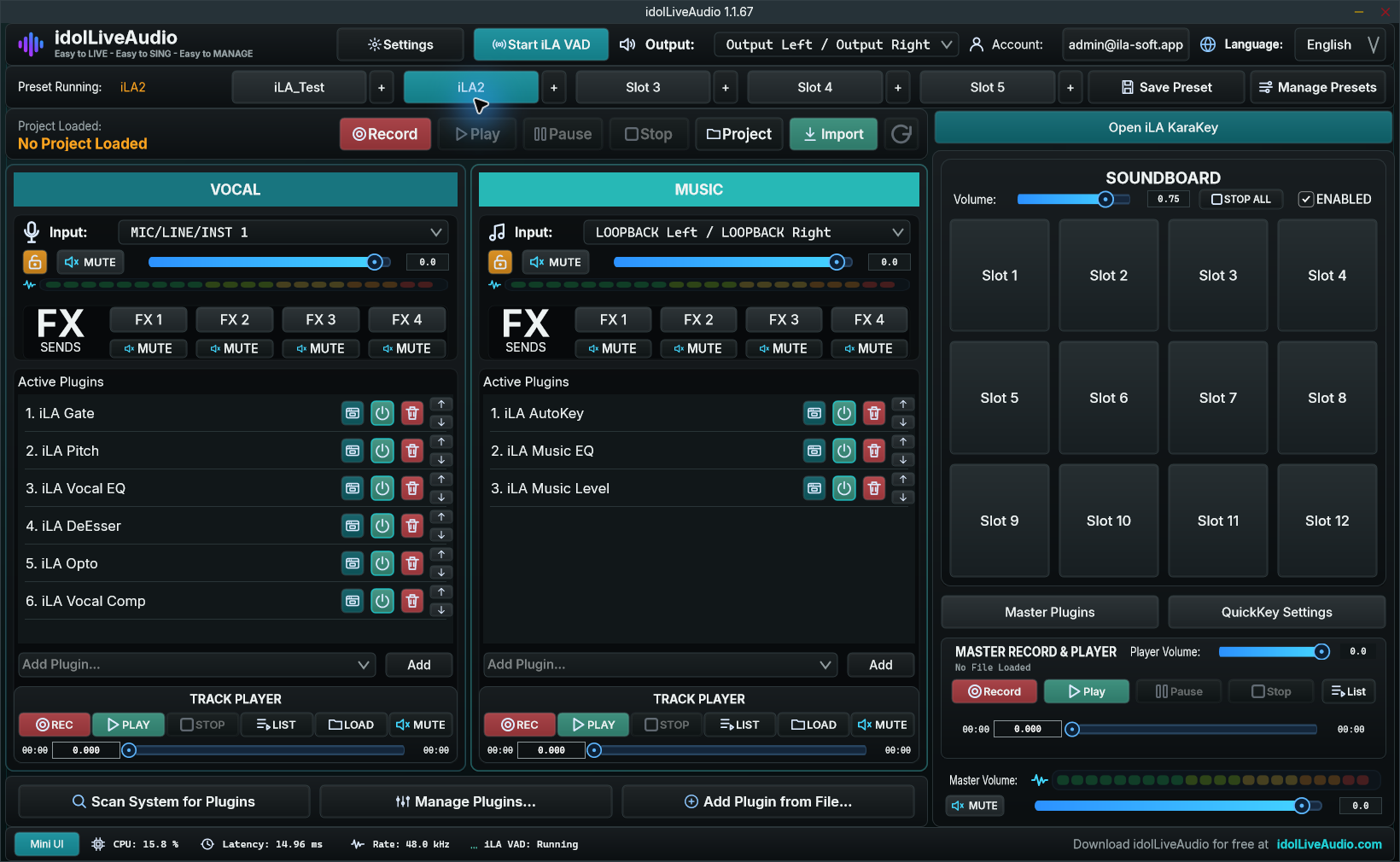
Keep vocals, music and the final output visible together. Load your preset, adjust the balance and reach the controls you use while performing.
Whether you are singing, hosting or recording a session, the same workspace brings your audio tools together.
In the workspace
Arrange compatible VST3 effects into vocal chains and save the settings in presets.
Supports compatible third-party VST3 effects.Control the backing track separately from the vocal, with its own effects and playback controls.
Keep soundboard clips and frequently used controls close to hand while you perform.
Record a session and route the processed master to your streaming software through the configured audio output.
Mini Mode
Keep the preset slots, soundboard and live controls visible while leaving more room on screen for your streaming application.
Set up your first session ↗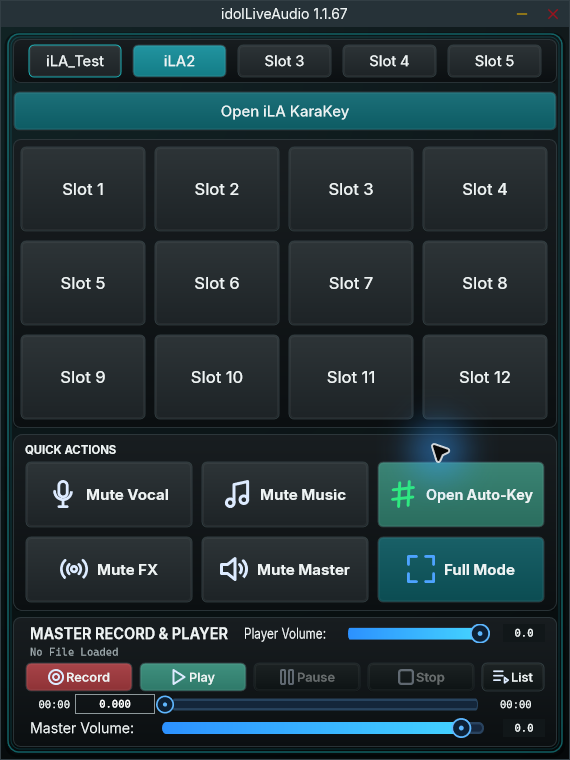
iLA VAD
Choose your audio device, configure routing and deliver the processed mix to OBS or TikTok LIVE Studio through the virtual microphone.